
How To
How To Prepare Your Items For Pickup

Step 1: Gather Your Items
-
Collect all returns you want us to take during your scheduled pickup.
-
Double-check your retailer’s return window to ensure items are still eligible.
-
Open up the Refund Runner booking form to begin the return's process
Step 2a : Prepare Your Items
with a QR Code
-
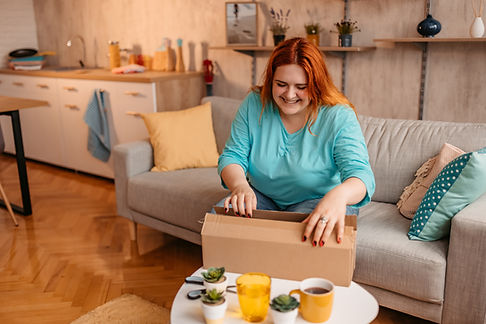
If the item has been removed from its original packaging, please repack it and seal it.
-
Package-less return with a QR code: take a screenshot of the QR code (ex. for Amazon returns, on the last page of the return process, click the QR code to open it. It will show an image of the item you are returning and a larger code. Screenshot this and upload it in the booking form).
-
"Customer packed" returns with a QR code: simply place the item in a ready to ship poly bag or cardboard box and seal it, screen shot the QR code and upload it in the booking form.
* For more help with how to set up your Amazon or similar returns, please see our video tutorial

Step 2b : Prepare Your Items
with a Shipping Label
-
Package your item securely in a ready to ship poly bag or cardboard box, print the label, and securely attach the label to the package (it is ideal to cover the label with clear packing tape to avoid any fading or smearing, but please make sure the tape is flat so the label can be properly scanned.)
No shipping supplies? No printer?
We would be happy to assist you with your
packing ($4 each item) or printing ($2 a label).
Want us to handle it all?
For just $5 per item, we'll take care of everything.
Choose this option in the booking form.
Step 3 :
Take Photos and Upload


Step 4 :
Leave Items In An Secure Spot
-
Please have your items ready at your door, lobby, or front desk at pickup time.
-
*If you won’t be home, you may leave them in a secure, designated location (such as a porch box, behind a gate (with no pets present), or in a garage with a one-time code). Be sure to note this location in your booking form, and you may also upload a photo to help us find it.
*Refund Runner is not responsible for any loss, theft, or damage to items if they are left without supervision. Oversized or heavy items not noted in the booking form will incur an additional handling fee.
-
Upload a picture of each item and its coordinating QR code screenshot or label in the booking form
-
This helps us confirm the QR code or label matches your item and prevents issues at pick up or drop-off.
Finalize your booking form and make payment to secure your pick up day and time.